Technology continues to evolve and transform how users in this era interact with digital platforms as face recognition has occurred as an effective tool in improving convenience, user engagement, and security.
Our free face recognition app for Android provides advanced facial recognition technology with a focus on user-friendly and robust functionality.
In this article, we are going to explore the benefit of the various services provided by our app and how smoothly it can integrated into our daily schedule.
Overview:
Leveraging advanced algorithms and machine learning techniques, our face recognition app for Android provides efficient and accurate capabilities of facial recognition. This free app is accessible to a comprehensive range of users without any financial greed. Our face recognition app provides a versatile solution whether you are looking for a way to simply explore the possibilities of face recognition technology, improve security, or organize your photo library.
Features of Free Face Recognition App for Android:
Accurate Recognition:
Our face recognition apps are a sophisticated facial recognition algorithm, that allows us to ensure high accuracy in verifying and identifying individuals. The key aspects of our face recognition app include:
High Accuracy:
Our app utilizes models of deep learning to scrutinize the facial features and match them against stored data to deliver steadfast recognition even in altering lighting conditions.
Quick Processing:
Our app executes facial recognition quickly to allow users to get outcomes immediately which is perfect for any real-time app.
Ease Of Use:
Techversol understands the significance of clarity, ease of use, and simplicity, and that’s why our team designed a recognition app with an intuitive and clean interface to ensure an effective user experience:
Easy Navigation:
The layout of our app is precise which makes it easy-to-use for users to access various settings and features without any annoyance.
Setup Guide:
Step-by-step guidance and instruction assist users set up the app and using its features efficiently.
Data Management:
Security, which is a critical and sensitive concern for every individual, is a top and essential priority for our company. We ensure that users’ facial data is handily secure in our app:
Local Store:
The data of facial recognition is locally stored on the device rather than any third-party device or external servers to improve privacy and reduce the data breach risk.
Advanced Encryption:
Advanced techniques of encryption are used to secure sensitive data to ensure that it stays confidential and protected.
Numerous Use Cases:
Our free app provides a variety of functionalities that cater to diverse requirements:
Unlock Android Device:
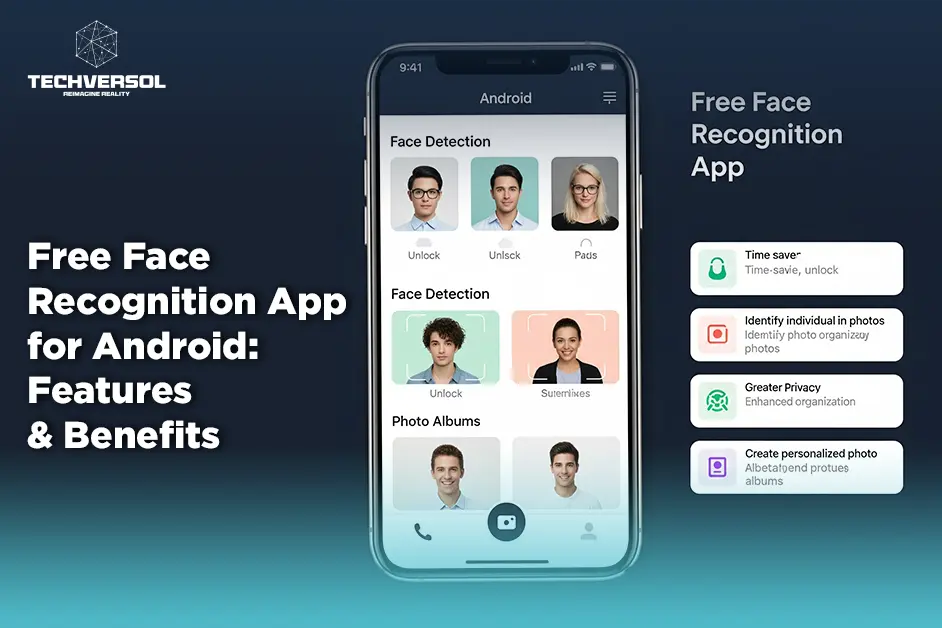
To unlock your Android device, use facial recognition to deliver a convenient alternative of security to standard passwords and PINs.
Organize Your Photos:
Tag and organize your photos automatically which is based on facial recognition to make it easier to search and handle your photo library.
Personalization:
Improve the personalization of an app by using the recognition of faces to customize the experiences of users based on the profiles of the individual.
Apps Integration:
Our free face recognition app is designed to work smoothly with various services and applications to improve its versatility:
Social Media:
Tag friends and recognize photos automatically before sharing those images on various platforms on social media.
Contact:
Use facial recognition to manage and update information of contact based on identified faces in your photo library.
Benefits:
Improved Security:
The technology of facial recognition delivers a secure way of verifying identities, essential for securing sensitive data and personal information:
Convenience:
Our app enables secure and quick device unlocking without any requirement to memorize tricky passwords or carry any physical key.
Scam Prevention:
Facial recognition apps the unauthorized access and identity theft risk by using biometric data.
Photo Management:
Managing and organizing images or photos can consume much time it streamlined this process through:
Tagging:
Automatically tag and identify people in your photo library. It makes it easy to group and find photos of any specific individual.
Time-Saving:
Search your photos quickly based on identifying faces to save effort and time to locate a specific photo.
Tailored User Experience:
Our app provides a more customized and personalized experience by leveraging facial recognition:
Adapt Settings:
Change the settings of an app based on facial recognition profiles and individual preferences.
Suggestions and Recommendations:
Obtain suggestions and recommendations based on user interactions and identified faces.
Accessibility:
Our facial recognition app’s user-friendly design assures that the technology of facial recognition is accessible to everyone:
Free Access:
Our face-identifying app makes state-of-the-art facial recognition technology accessible to a wide audience.
Compatibility:
The features and principles of our app can encourage similar solutions across various platforms while Android is primarily designed.
How Our App Works:
Setup App:
To take start with our face recognition app is easy:
Download from Play Store:
Download the face recognition app from the Google Play Store and directly install it on an Android device.
Setup Profile:
Create the profile by capturing your face photos from various angles and it assists the applications of face detection build a wide model of facial recognition.
Configuration:
Adapt the settings of an app to fit your preferences such as enabling face unlock or setup features of the photo organization.
Use Facial Recognition for Unlocking Device:
Use facial recognition to unlock your Android device:
Launch:
Open the facial recognition app and navigate to the feature of face unlock.
Face Scanner:
Set your face with our face scanning app within the frame of the camera and enable the app to recognize and scan features of your face.
Unlock Android Device:
The facial recognition app will unlock your device automatically once recognized and it delivers a secure and smooth method of access.
Tagging Photos:
To tag and organize your photo library:
Import Photos:
Add your photos to the gallery of an app or import them from the storage of your device.
Recognition of Face:
Our face identification app will recognize the faces analyze the photos and tag and organize them automatically.
Manage Library:
By using facial recognition, you can search for any specific person and manage your library’s photo.
Conclusion:
In leveraging biometric technology for daily security and convenience, our free facial recognition application for Android represents substantial progress. As an Android app development company, we enhance user experiences and improve data privacy and security with a range of features, from unlocking Android devices to organizing photos.
Our free face recognition app for Android provides a robust and accessible solution for users whether you’re looking to streamline your digital interactions or analyze the potentials of facial recognition.
FAQs:
How does your facial recognition work in your app?
The facial recognition in our app works through these processes by capturing face images, analyzing the facial features, app comparing the photo with stored profiles to recognize or verify individuals, and then relying on the application, actions may include unlocking the device or tagging photos.
Is your facial recognition app free?
Sure, our face recognition app for Android is free and available on the Play Store of Google and offers basic features at no cost.
How many feature types does your app offer?
Our app facial recognition delivers various features which include device unlocking, organization of photos, personalization, and social media integration.
What happens if your app fails to recognize my face?
If our facial recognition app fails to recognize your face then these could be the possible reasons for failure which include poor lighting, camera quality, and facial changes.
For those interested in developing similar solutions or seeking guidance on how to choose a mobile app development company, understanding these aspects can significantly enhance the selection process.